

To request removal from AWLR
As All Wales Locum Register (AWLR) is managed by NWSSP rather than Locum Hub Wales, please see below the instructions from NWSSP:
Please click for a link to an Application Form to Withdraw from the AWLR.
Voluntary withdrawal from the All Wales Locum Register (AWLR) and Locum Hub Wales (LHW) will result in you not being covered under the Scheme for General Medical Practice Indemnity (GMPI) for any work that you undertake from the date you specify on the application form. Any eligible locum activity undertaken prior to this date will remain within the ambit of GMPI.
Withdrawal from the AWLR will mean you do not need to submit a monthly ‘No Shifts Worked Confirmation’ in Locum Hub Wales and you will not receive monthly email reminders to complete this task.
If you work in a Health Board Managed Practice or an Out of Hours/111 setting, your shifts would be covered under Health Board indemnity arrangements, and you can still view and book shifts via Locum Hub Wales without being included on the AWLR.
You may re-register on the AWLR and LHW at any time from the 'Registrations' Tab of your Personal Profile. If you wish to request a temporary withdrawal from the AWLR during specific dates please email medicalworkforce.pccs@wales.nhs.uk.
Deactivate/Close your account in Locum Hub Wales too?
You could (after leaving AWLR) leave Locum Hub Wales too, but if you do retain your account you'll still be able to view Out of Hours shifts or Managed Practice shifts as these are indemnified by the Local Health Board and not related to GMPI.
To deactivate your account in Locum Hub Wales;
Ensure you have no pending applications in your account, withdraw them if you do.
Ensure there are no pending tasks in your Dashboard (top right in red if there are any) Clicking on them will redirect you to the location to resolve them.
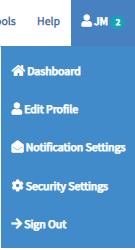
Navigate to your Account Menu (Click on the initials in the top right), then select 'Security Settings'
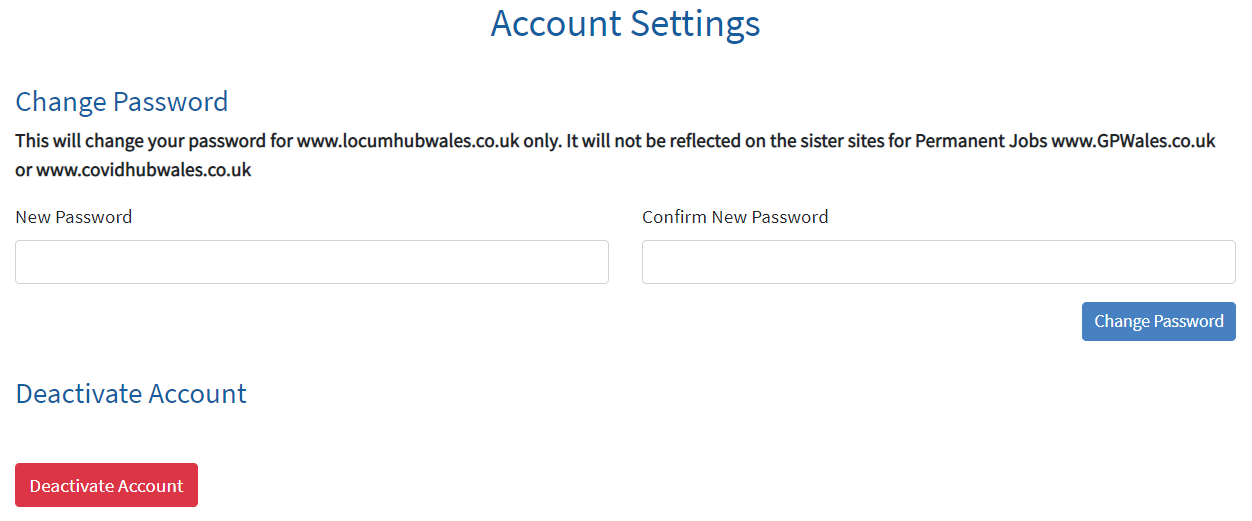
Click the button to 'Deactivate Account'
Have we missed something you want to know? Have any feedback or still confused?
Get in touch with our Support Team: support@gpwales.co.uk or 0333 0111 899